
01
Capture the search in one paste
Drop in a Maps URL or search link—businesses on the page become sortable rows with context.
For agencies, freelancers & outbound teams
Search by city and category, save phones on every row, and track outreach until they become clients — without spreadsheet chaos or credit-based scrapers.
Built for freelancers and small agencies selling to local businesses. DNS health checks on Plus. CSV export on Pro. Start free — no credit card.
What early users say
“I stopped copying Maps rows into spreadsheets. Search, save, WhatsApp from one tab — and Pro at $2/month beats every scraper credit pack I tried.”
“Our agency runs territory lists by niche and city. Pipeline status plus DNS checks on Plus means we know who is worth a cold email before we dial.”
Enriched rows from Maps results
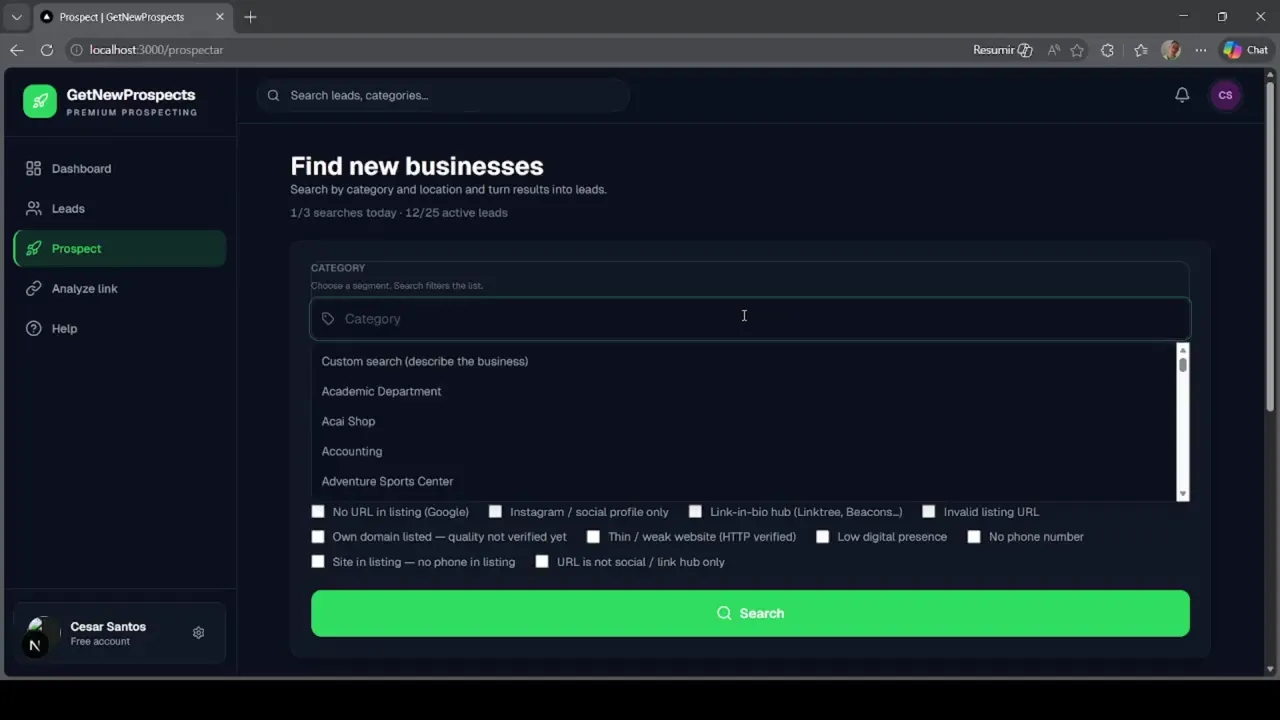
Example: search results become rows you can qualify and contact in minutes.
Maps lists real businesses with real gaps—missing sites, thin sites, or weak contact data. GetNewProspects captures that context and keeps follow-up accountable so deals do not die in spreadsheets.
Same Maps research habit—structured rows and accountable follow-up.
01
Choose niche and geography the way you already prospect locally.
02
Pull structured contact data plus website-quality signals in bulk.
03
Run outreach from one pipeline until the deal is won or disqualified.
Three outcomes: capture the search, enrich the table, track outreach until it converts.
01
Drop in a Maps URL or search link—businesses on the page become sortable rows with context.
02
Names, phones, addresses, categories, and website or no-website clues land in a clean table for fast qualification.
03
Statuses, notes, and touches stay on the record—call, WhatsApp, or email without losing where the deal stands.
Google Maps already surfaces who is local and often underserved. The slow part is turning those listings into rows you can call, message, and close.
You need:
GetNewProspects connects Maps discovery to that workflow: fewer tabs, faster touches, clearer path from search to client.
Related guides & product: FeaturesFind businesses without a website.
The job is finding the right businesses and closing them—not babysitting exports.
Start free. Upgrade when you need more.
Free forever
Try prospecting with no commitment.
$1 / month
More searches, more leads, domain health checks included.
$2 / month
Full prospecting power with exports and priority support.
Agencies, freelancers, SDRs, and owners who sell to local businesses and need a pipeline—not another spreadsheet.
Preview shows discovery and enrichment—the same path you run inside your workspace.
It helps you find local businesses from Google Maps—especially ones with clear contact or website gaps—capture their details automatically, and manage follow-up until they become clients.
Yes. You can create an account and start using the product without a credit card. Paid plans may apply for higher limits or advanced features as your usage grows.
Your workspace data is there to power your prospecting and collaboration. We do not sell your lead lists. For retention, cookies, and legal details, read our privacy policy.
No. If you can paste a link and use a web app, you can use GetNewProspects. The interface is built for sales and operations teams, not developers.
Search Maps by city and category in GetNewProspects, then filter listings with missing or weak websites and export them into your pipeline—no manual copy-paste.
Local B2B prospecting means finding nearby businesses that fit your offer, collecting contact details, and running structured outreach—often starting from Google Maps listings in a territory you define.
Yes. Capture phone numbers from Maps listings, track outreach status in your pipeline, and message prospects on WhatsApp alongside email or calls from one workspace.
Start free with no credit card. Plus is $1/month (more searches and DNS checks). Pro is $2/month with CSV export and the highest limits — see the pricing page for details.
Yes. Freelancers use it to build territory lists, find underserved local businesses, and manage follow-up without spreadsheets—ideal for web, marketing, and design outreach.
Typical fields include business name, category, address, phone, website URL (or lack thereof), Maps listing link, and other contact signals on the listing—ready for export and outreach.
Free to start: turn the next Maps search into clients you can work end to end.
Start free